
MA
Mahmoud Abo ElyazidSenior UI/UX Designer
June 2, 2026
0.18 seconds
These are most of the questions I faced in interviews. I hope they benefit you, and for the most part, there are no questions outside of these.
1. What inspired you to pursue a career in UI design, and how has your journey evolved over time?
2. Can you share details about a recent UI project you were involved in? What were the challenges and key achievements?
3. Walk me through your typical design process from concept to final product. How do you ensure the usability and effectiveness of your designs?
4. Could you describe an existing app that you believe exemplifies your ideal UI design principles? What specific aspects do you admire about it?
5. How do you stay updated with the ever-evolving design trends and emerging technologies in UI design?
6. In your opinion, what constitutes a UI design failure when a new product is launched, and how can it be prevented?
7. Share an experience when there was a breakdown in communication between design and development teams. What steps would you take to improve this collaboration?
8. What strategies do you employ to advocate for usability and user-centered design within your organization?
9. If given the opportunity to redesign our current app or website, what initial steps would you take, and what key improvements would you suggest?
10. Is there a design trend that you strongly dislike, and what are the reasons behind your disapproval?
11. Define your understanding of UI design and its core principles.
12. Could you describe a mobile application that, in your opinion, embodies exceptional user interface design? What sets it apart?
13. Identify a recently launched product and point out a UI design aspect you perceive as a failure. What could have been done differently?
14. Take a look at our current app or website. Outline your approach to redesigning it, highlighting key areas for improvement.
15. Are there any design trends you find particularly irksome, and what leads to your negative perception of them?
16. Share your go-to sources for design inspiration, whether they are websites, apps, or other platforms.
17. In your design process, what element do you consider the most crucial for achieving a successful outcome?
18. Reflect on the most challenging task you've encountered in UI design and how you addressed it.
19. Before initiating a UI design project, what UX-related information or research do you believe is essential to gather?
20. Do you have experience conducting usability testing, and can you describe a specific project where it played a vital role?
21. Define your understanding of UX design and its significance in the overall user experience.
.
22. What motivated you to pursue a career in UX design, and how has your background influenced your approach to it?
23. Discuss your familiarity with "design thinking" and what it means to you in the context of UX design.
24. Walk me through your typical workflow or design process, emphasizing key stages and methodologies you follow.
25. Can you provide a glimpse of your portfolio, highlighting a few projects that showcase your UX and UI design skills?
26. Share a UX challenge you encountered and successfully resolved. Describe your problem-solving approach.
27. Where do you seek UX design inspiration? Are there specific websites or apps whose UX design you admire and why?
Note: The most important thing is your understanding of your work and your approach, not just words you say and that's it. You might be very knowledgeable, but some anxiety could cost you a lot of jobs, or a mistake in describing or explaining something could lose you the opportunity. This happened to me, and I'm glad it did because it prepared me for a very good opportunity that I eventually reached, thank God. However, this shouldn't stop you from preparing yourself for the interview in every way, understanding the nature of the company, what exactly they need, how you can provide that, and so on.
For months, we shared this journey together through the first chapter of the book "100 Things Every Designer Needs to Know About People"...💡 It was titled "How People See," and through it, we learned how people see, understand, and interact with the world around us. This is because "sight" is the strongest of all the senses, and half of our brain's resources are dedicated solely to receiving and interpreting what we see. That's why it was important to understand more about how people see and interact with the world around us, so we can design experiences that are closer to reality and to the users...👌🏻
Has it ever happened to you that you were engrossed in reading something on a website, and suddenly an ad popped up on the side, grabbing your attention and distracting you? And no matter how hard you tried to ignore it, your eyes kept going to it automatically! 👀 This is exactly what our second rule today is about in the book "100 Things Every Designer Needs to Know About People" 💙, which we're still exploring in the first chapter, "How People See." 📌 Rule #2: Peripheral Vision Is Used More Than Central Vision To Understand The Essence of What You See! Which states the following 👇🏻 As humans, we have two types of vision: central vision and peripheral vision. Central vision is what we use when we look directly at things and see details, while peripheral vision is for seeing the rest of the visual field (the areas you see in the periphery of your field of vision without looking directly at them). The importance of central vision is that it helps us identify specific objects, while the importance of peripheral vision lies in its ability to help us understand the world around us and gather information about the type of scene we are looking at. 👌🏻 Here, you must know, while designing your product, that people use peripheral vision when looking at a computer or phone screen. They usually grasp the essence of the content and decide on the topic of the page based on a quick glance through their peripheral vision. This doesn't mean ignoring the center of the screen, as it is important for central vision, but rather not ignoring what appears in the peripheral vision of users. 😊 So always make sure that The information and content in peripheral vision clarifies the purpose of the page and the product as a whole. If you want users to focus on a specific element on the screen, completely avoid placing any moving or flashing elements in their peripheral vision, as they will immediately notice them and their gaze will be drawn to them. 👌🏻 Finally, stay tuned for the next rule; each rule brings us closer to a deeper understanding of the user. 💡✨ #100_Things_Every_Designer_Needs_to_Know_About_People_in_Arabic #uiuxdesign #Psychology
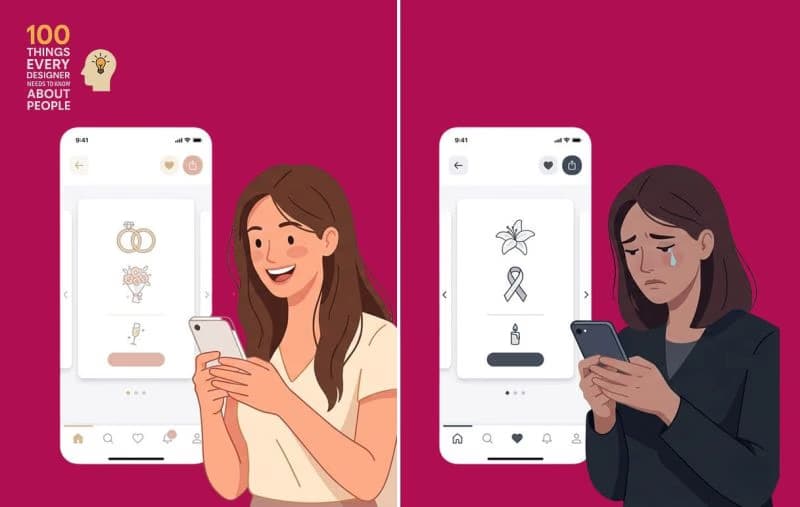
Have you ever chosen a color in a design because it is "clear and its meaning is well-known," only to discover later that in another country, the same color conveys a completely different message..?!👀



Book a 30-min call to discuss your project and next steps.
Message us directly on WhatsApp for a quick reply and to discuss your idea.